
MegaPari Deposit Methods
MegaPari supports over 30 deposit methods, including cryptocurrencies (Bitcoin, USDT, Ethereum), e-wallets (Skrill, Neteller, Jeton), and credit cards (Visa/Mastercard). The minimum deposit starts at 1 USD, with a maximum deposit limit that varies by payment method. Funds typically reach your account within minutes. New players can also claim a sports welcome bonus of up to 230 USD across the first two deposits, or a casino welcome package worth up to 1,590 USD plus 150 free spins.
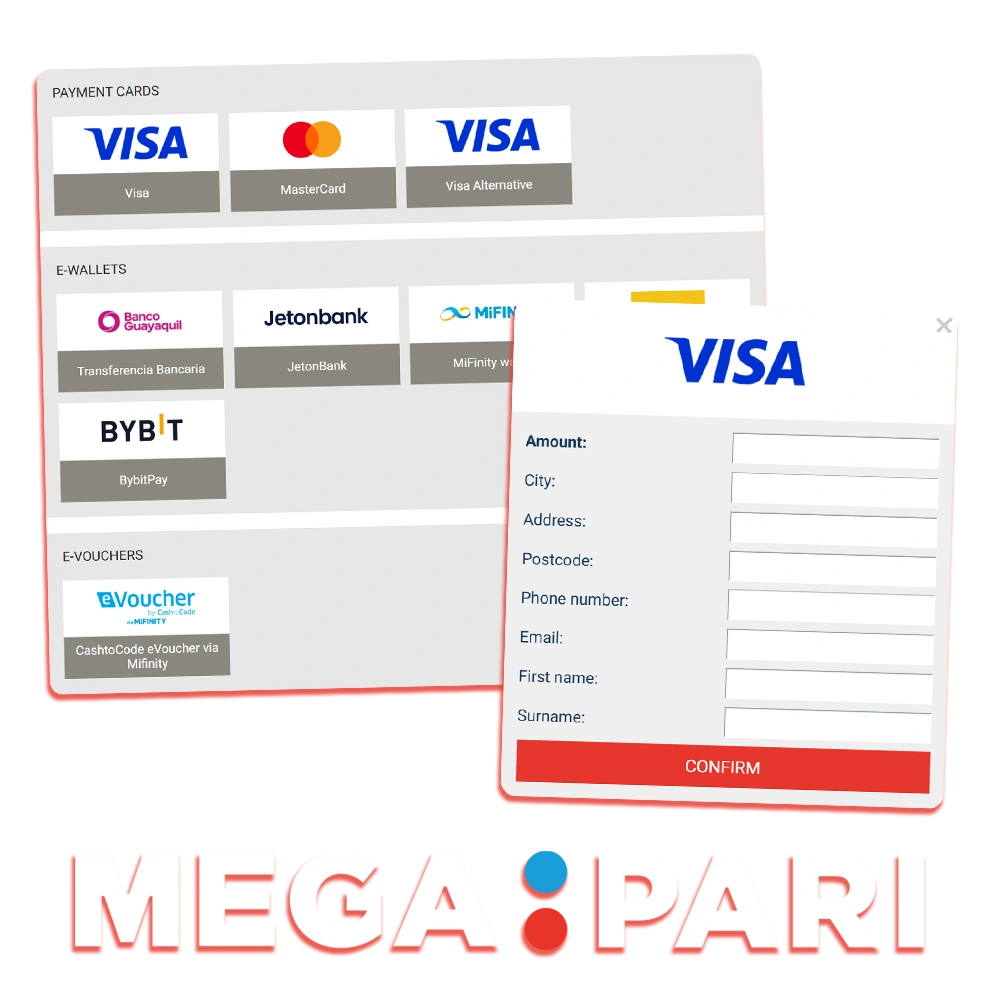
How to Deposit Money in MegaPari: Step-by-Step
Funding your MegaPari account takes under five minutes. A verified account and a supported payment method are all you need to get started.
Create or Log In to Your Account
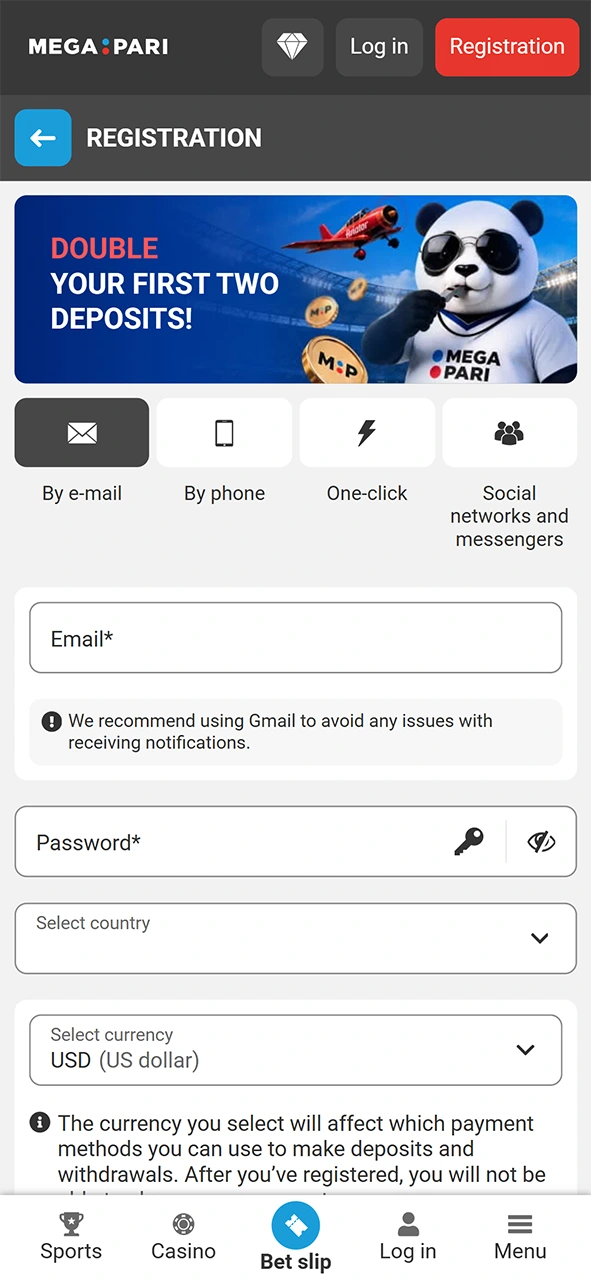
Click the Register button on this page to sign up, or log in if you already have an account.
Go to the Cashier
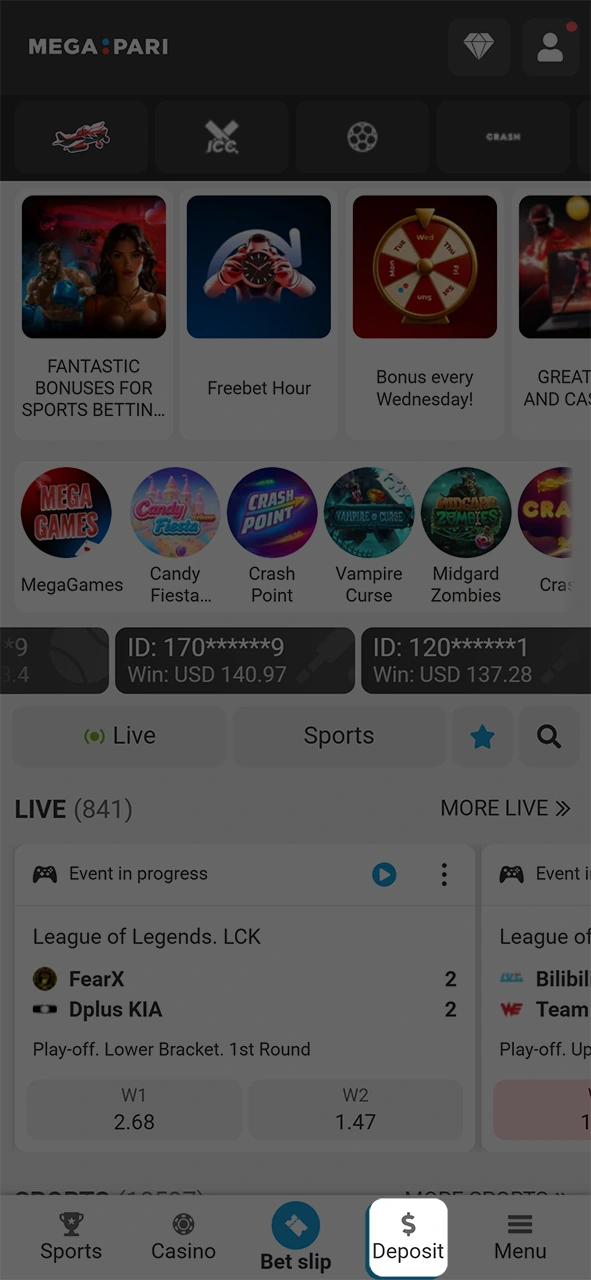
Once logged in, click the “Deposit” button in the top-right corner of the platform.
Select Your Payment Method
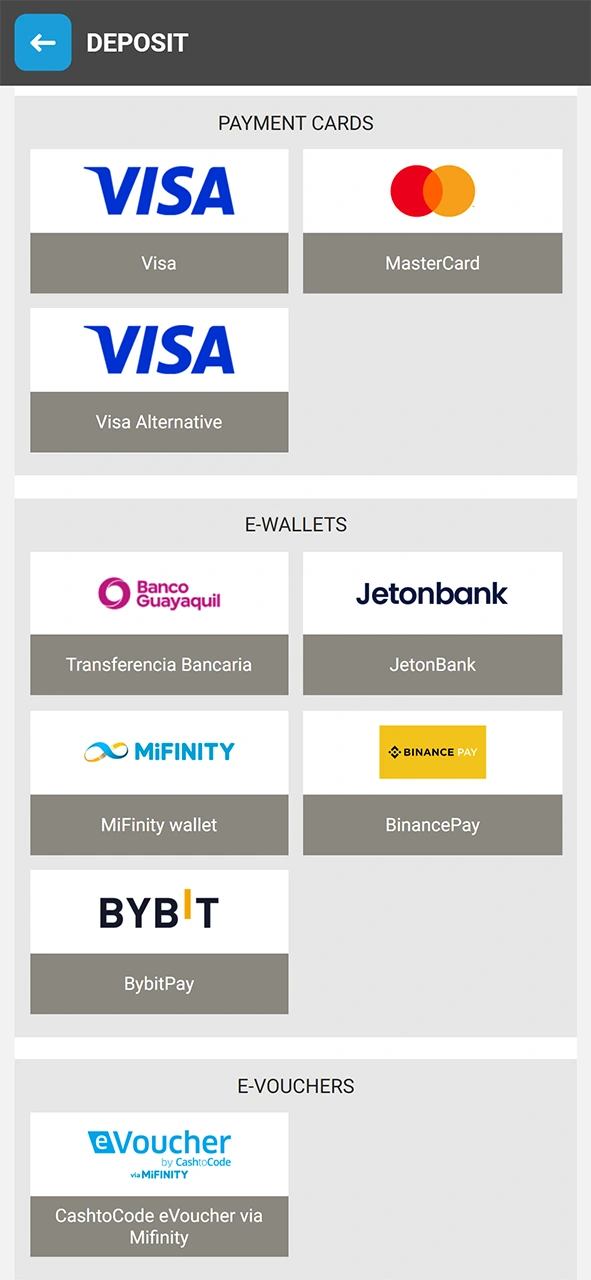
Choose your preferred deposit method from the available options, including Visa/Mastercard, Skrill, Neteller, Bitcoin, USDT, or Ethereum.
Enter the Deposit Amount
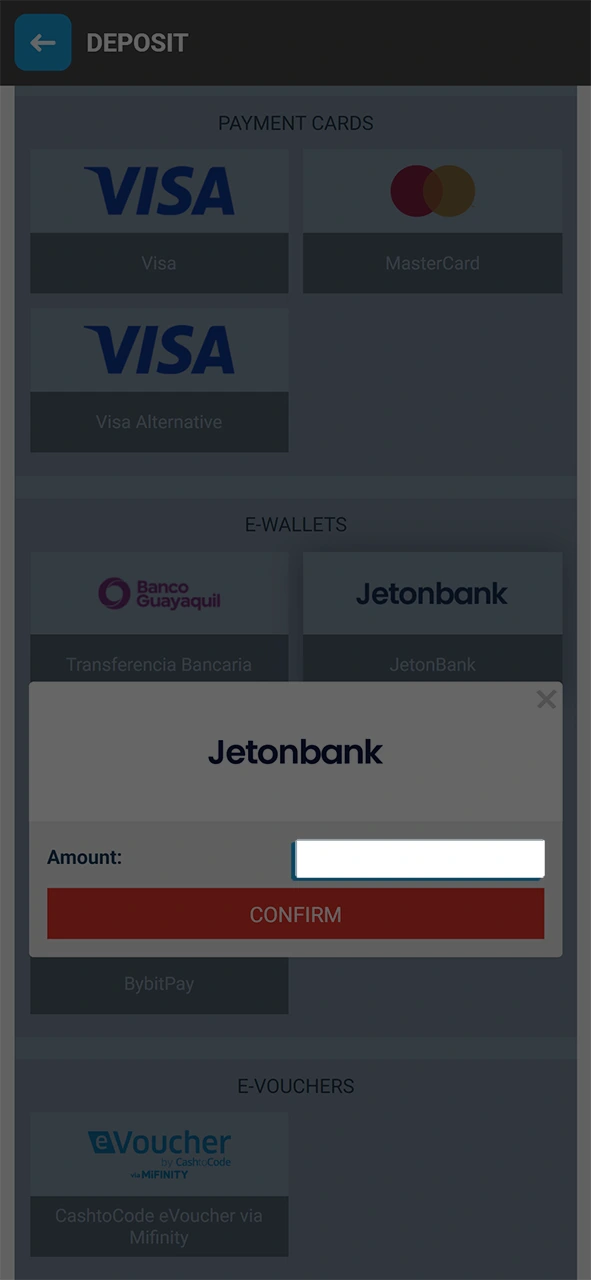
Input the amount you wish to deposit, making sure it meets the minimum deposit requirement for your chosen method.
Confirm the Transaction
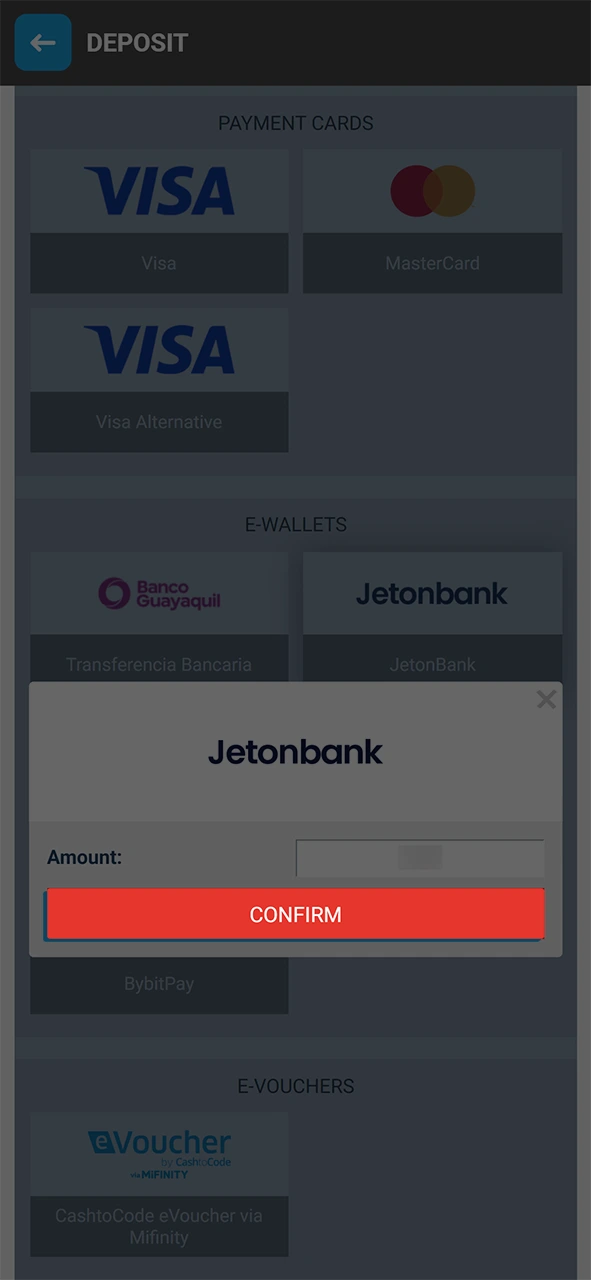
Follow the on-screen instructions to authorize the payment. Funds are credited to your balance, typically within minutes.
MegaPari Deposit Methods, Processing Times, and Limits
MegaPari offers a broad selection of deposit options for players, with no commission charged on any deposit transaction. The minimum deposit amount starts at 1 USD, and processing times range from instant to a few minutes depending on the payment method selected.
Deposit Methods Overview
| Payment Method | Minimum Deposit | Maximum Deposit | Processing Time | Fees |
|---|---|---|---|---|
| Visa / Mastercard | 1 USD | 4,000 USD | Instant | None |
| Skrill | 1 USD | 10,000 USD | Instant | None |
| Neteller | 1 USD | 10,000 USD | Instant | None |
| Jeton | 1 USD | 10,000 USD | Instant | None |
| Bitcoin (BTC) | 1 USD equiv. | No limit | Up to 30 min | Network fee |
| USDT (TRC-20/ERC-20) | 1 USD equiv. | No limit | Up to 30 min | Network fee |
| Ethereum (ETH) | 1 USD equiv. | No limit | Up to 30 min | Network fee |
Popular Deposit Methods at MegaPari
MegaPari players rely on a core set of deposit methods that combine accessibility, speed, and low cost. The most used options span traditional card payments, established e-wallets, and major cryptocurrencies.
Top Deposit Methods
- Visa / Mastercard: The most universally recognized card networks. Deposits are processed instantly and are accepted in multiple currencies with no platform fee;
- Skrill: A trusted e-wallet with instant transfers and broad currency support. Ideal for players who want to keep gambling transactions separate from their main bank account;
- Neteller: A dedicated iGaming e-wallet with instant deposits. Neteller accounts can be funded in multiple currencies and support fast transfers without bank delays;
- Jeton: A modern digital wallet built for fast, low-cost online payments. Deposits via Jeton are processed instantly with no fees applied by MegaPari;
- Bitcoin (BTC): The leading cryptocurrency for online deposits. Transactions are pseudonymous, carry no platform fee, and are confirmed within 30 minutes on average;
- USDT (TRC-20 / ERC-20): A stablecoin pegged 1:1 to the USD, eliminating price volatility. Available on both TRC-20 and ERC-20 networks, with low network fees on TRC-20;
- Ethereum (ETH): A widely used cryptocurrency with strong network security. ETH deposits are confirmed within 30 minutes and carry no additional fee from MegaPari.
MegaPari First Deposit Bonus
MegaPari offers two distinct welcome bonuses for new players depending on their preferred activity. Sports bettors receive up to 230 USD across their first two deposits, and casino players access a package worth up to 1,590 USD plus 150 free spins across the first two deposits.
Sports Welcome Bonus
- Bonus value: Up to 230 USD total across two deposits;
- Minimum deposit: 1 USD to activate the bonus;
- Applies to: Pre-match and live sports betting markets;
- Wagering requirement: The bonus must be wagered 5 times on accumulator bets with a minimum of 3 selections, each at odds of 1.40 or higher;
- Time limit: Wagering must be completed within 30 days of the bonus being credited.
Casino Welcome Package
- Bonus value: Up to 1,590 USD plus 150 free spins across the first two deposits;
- First deposit: 100% match bonus up to 600 USD plus 100 free spins (minimum deposit: 10 USD);
- Second deposit: 50% match bonus up to 990 USD plus 50 free spins (minimum deposit: 10 USD);
- Free spins: Credited on specified slot titles and must be used within 7 days;
- Wagering requirement: Casino bonus funds must be wagered 35 times before withdrawal;
- Time limit: Full wagering must be completed within 30 days of the bonus being credited.
To claim either bonus, opt in during registration or from the Promotions section in your account before making your first deposit.
Possible Problems with Deposits and How to Fix Them
Deposit issues on MegaPari are uncommon, but a few technical or account-related factors can cause a transaction to fail or be delayed. Below are the most frequent problems and their solutions.
- Deposit Declined by Bank or Card Issuer: Some banks block transactions to online gambling platforms by default. Contact your bank directly to authorize the payment or use an alternative method such as Skrill or USDT;
- Funds Not Credited After Payment: Cryptocurrency deposits can take up to 30 minutes due to blockchain confirmation times. For card or e-wallet deposits not credited within 15 minutes, submit a query to the support team with your transaction ID;
- Incorrect Cryptocurrency Network Selected: Sending USDT via an incompatible network (e.g., ERC-20 instead of TRC-20) can result in lost funds. Always confirm the exact network displayed in the MegaPari cashier before sending;
- Deposit Limit Exceeded: Each payment method carries its own maximum deposit cap. If your transaction is rejected, verify the limit for your chosen method in the cashier and split the deposit across two transactions if needed;
- Account Verification Pending: Deposits may be held if your account requires identity verification (KYC). Complete the verification process by uploading a valid government-issued ID and proof of address in the account settings.
MegaPari Customer Support Contacts
MegaPari provides 24/7 customer support to resolve any deposit-related issue quickly. Multiple contact channels are available so you can reach the team through whichever method suits you.
Available Support Channels
- Live Chat: Accessible directly on this site at any time. The fastest channel for deposit queries, with average response times under 2 minutes;
- Email: Send a detailed message to [email protected]. Include your account ID and transaction reference for the fastest resolution;
- Telegram: MegaPari operates an official Telegram support channel. Search for the verified MegaPari support handle within the Telegram app;
- Help Centre / FAQ: The on-site Help Centre covers the most common deposit issues with step-by-step guidance. Access it via the Support section in the main menu.
FAQ
Can I deposit in cryptocurrency and withdraw in a different currency?
Yes. MegaPari supports multi-currency accounts. You can deposit in Bitcoin or USDT and withdraw in a different supported currency, subject to conversion rates applied at the time of the transaction.
Is there a deposit fee on MegaPari?
MegaPari does not charge any platform fee on deposits. Cryptocurrency deposits may carry a small network fee set by the blockchain, not by MegaPari. Card and e-wallet deposits are always fee-free on our side.
How long does a deposit take to appear in my account balance?
Card and e-wallet deposits (Visa, Mastercard, Skrill, Neteller, Jeton) are credited instantly. Cryptocurrency deposits are confirmed within 30 minutes depending on network congestion at the time of the transfer.
Do I need to verify my account before making a deposit?
You can make an initial deposit without completing full KYC verification. However, identity verification is required before processing any withdrawal, and MegaPari may request verification documents at any stage under its regulatory obligations.
Can I use multiple payment methods to fund my account?
Yes. There is no restriction on using more than one payment method. You can top up your balance using Skrill for one transaction and Bitcoin for another, as long as each deposit meets the minimum deposit requirement for that method.
Updated: